Field Photo Documentation Checklist
Document the site in order: set up the project, canvas the property, then work room by room with overviews, close-ups, notes, and 360 stills at each waypoint. The report is the last step, not the first.
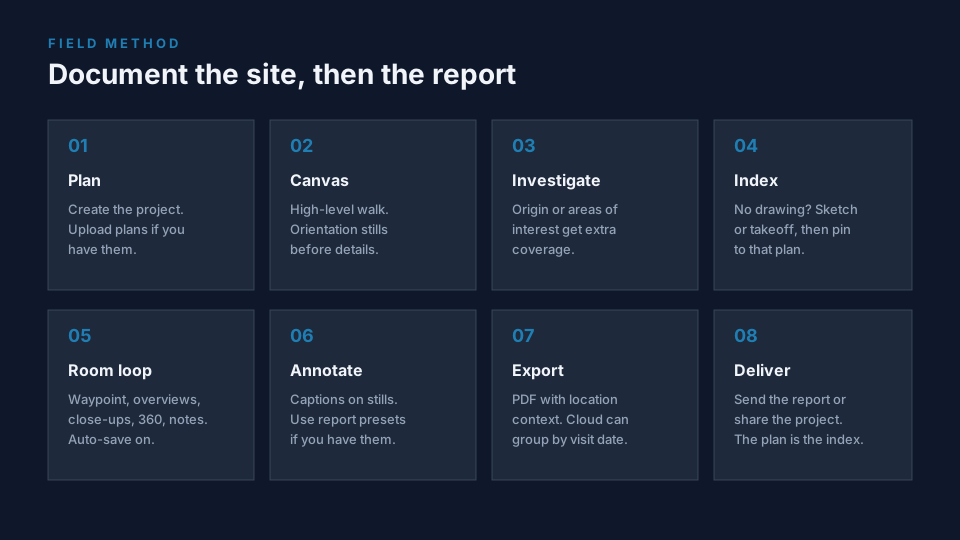
The eight-step walk
- Plan the inspection. Create a project in FotoLedger. Upload floor plans, roof plans, or site maps if you have them. If you already know which rooms need spec sheets, moisture logs, or prior reports, drop those PDFs on the waypoints you will open on site.
- Canvas the site. High-level walk first. Orientation stills of elevations, entries, and overall condition. Do not start in a closet.
- Areas of interest or origin. When the story has a source (water, impact, opening), give that area extra coverage before you grind through every room the same way.
- Sketch or takeoff if there is no plan. A rough sketch, takeoff, or annotated aerial is enough to pin. Import it as the spatial index. Do not wait for a CAD set.
- Room by room, area by area, roof by roof, unit by unit. Place a waypoint. Shoot cross-corner overviews, then close-ups on items of interest. If you have an iPad and a 360 camera, transfer the equirectangular JPEG from the camera’s native app immediately and upload it at the same pin with stills and notes. Then move on. Tip: turn auto-save on for large projects. If the connection lags on a big 360 file, wait. Notes: GoodNotes (or similar) exports a page to PDF or JPG that AirDrops to the device you are uploading from.
- Annotate stills and format the report. Captions if they add condition, not just the room name. Markup lives on still photos. Use account presets if you already have a report layout.
- Export. The PDF keeps location context with each image. 360 photos appear as a flat preview labeled 360°. Cloud projects with more than one visit can export one date or all dates (historical).
- Deliverable report. Send the PDF or share the project. Reviewers who need to look around a sphere open the web project, not the PDF.
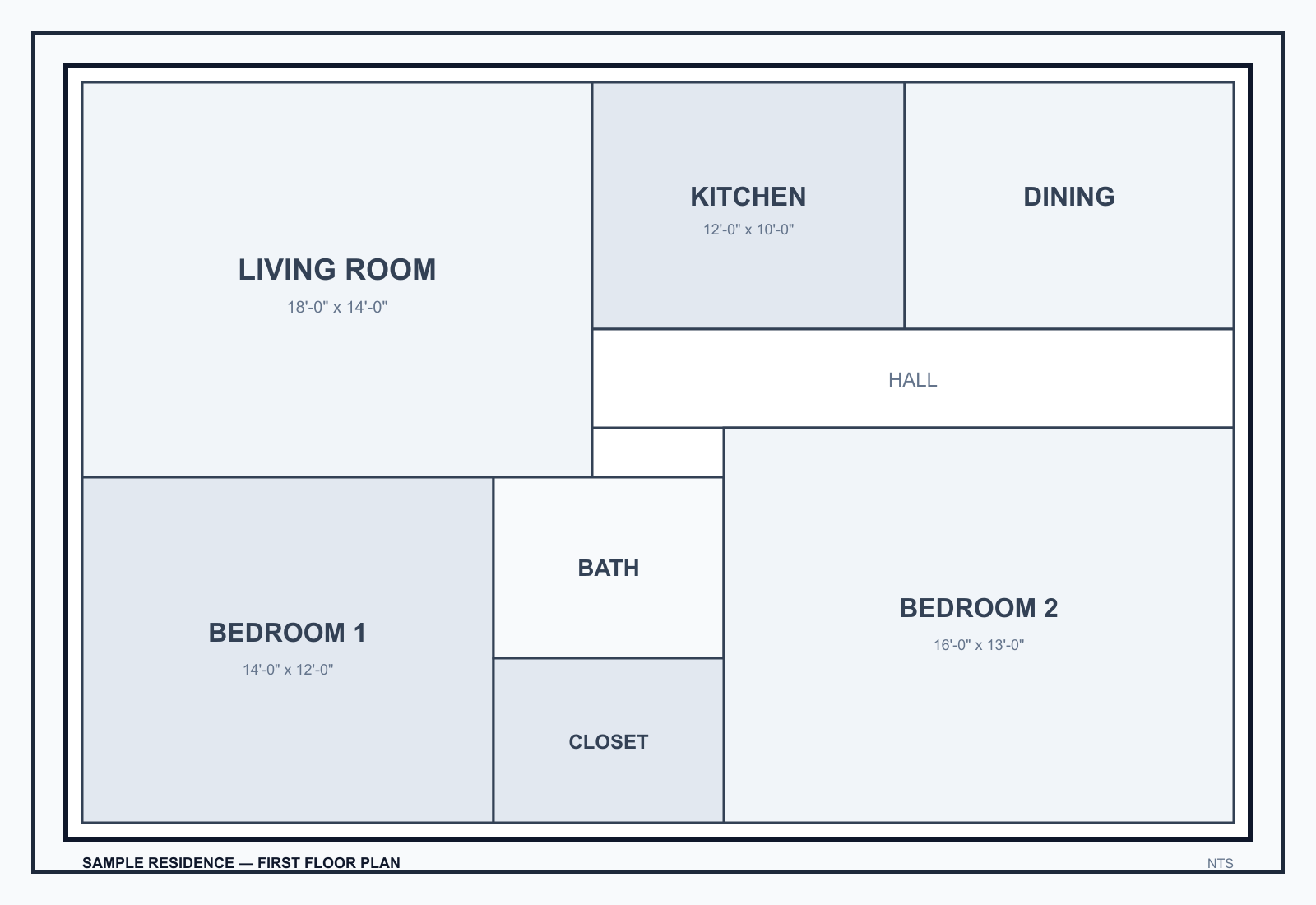
Every photo, every pin
- Place: room, area, elevation, floor, roof section, or site zone.
- Wide shot plus detail when one frame cannot explain the condition.
- Optional 360 still at the same waypoint for context you cannot get from two corners.
- Note: what the image shows, in one sentence.
- Do not leave photos only in a camera roll or a folder named after the week.
Construction / inspection / restoration reminders
- Construction: before work, concealed conditions, rough-in, punch, closeout by room. See the construction photo documentation checklist.
- Inspections: photos by area, not one album per appointment.
- Restoration: affected rooms, source if known, equipment locations. Documentation, not a claim outcome.
Category: floor plan photo documentation. 360 stills: 360 photo documentation.