Equipment condition documentation pinned to the component
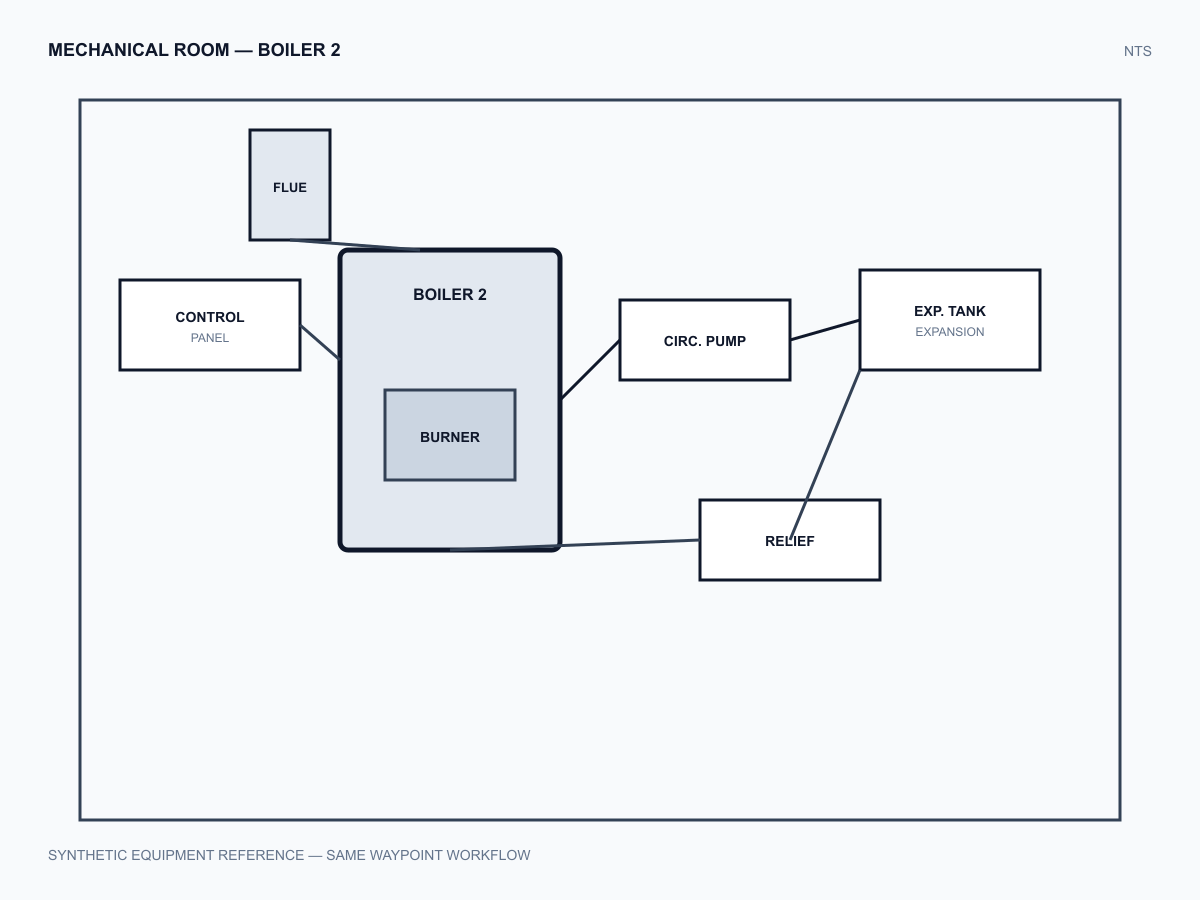
A folder of 80 photos cannot tell the next technician which one is the relief valve and which one is the burner. Pin each condition photo, 360, note, and PDF to the component it shows — on a photo of the unit or its schematic — and export one report.
The problem
Machinery, mechanical rooms, rental fleets, and engineering investigations all produce the same thing: hundreds of close-up photos with no spatial anchor. Condition is only useful when you know which component it describes and when it was recorded.
How FotoLedger helps
- Use an equipment photo, silhouette, schematic, or diagram as the reference surface.
- Place waypoints on components: burner, pump, panel, flue, tank, relief valve.
- Attach condition photos, 360 captures, notes, and inspection PDFs at each pin.
- Return later and capture again; each waypoint keeps its visit history by date.
- Export a PDF that keeps every photo with the component it documents.
Who uses it
- Facilities and maintenance teams documenting mechanical systems.
- Rental companies recording check-out and check-in condition.
- Engineers and adjusters building a component-level evidence record.
- Manufacturers and service contractors handing a unit between crews.
Frequently asked questions
Can FotoLedger document equipment condition without a floor plan?
Yes. The reference surface can be any image: a photo of the unit, a nameplate silhouette, a schematic, or a P&ID. Place waypoints on components and attach condition photos, 360s, notes, and PDFs to each one.
How is this different from drying equipment tracking?
Drying equipment tracking pins air movers and dehumidifiers to rooms on a floor plan during a restoration job. Equipment condition documentation pins evidence to the components of a single asset — a boiler, a compressor, a rental excavator — so a later visit can compare the same component over time.
Can I compare the same component across visits?
Yes. Photos keep their capture date, and each waypoint lists the visits recorded at that component. Cloud accounts can export a historical report that groups evidence by visit date.
Is equipment condition documentation free in FotoLedger?
Yes. Local mode is free with no account and no trial clock. A free account adds 250 MB of cloud storage so the project opens on any device; FotoLedger Cloud is $5/mo for 5 GB (local stays free).